AI Chatbot - Bots & Extensions — TrackOnSight

AI Chatbot

Conversation assistant for Free4Talk

A browser-based chatbot extension for Free4Talk rooms with Gemini and Groq support, multi-model selection, context memory, and personality control. It is built to feel useful inside a room, not bolted on top of one.

10
Models
Gemini + Groq
Providers
50 messages
Context window
5.0
Rating
v1.4

Expanded provider support and cleaner extension workflow.

Groq API support for faster response options
Expanded model coverage across supported providers
Tab-based popup redesign
Better setup validation and error handling

Capabilities

Built for live rooms, not just demos.

The useful part of this extension is not that it talks. It is that it can stay context-aware, configurable, and room-appropriate while still feeling quick to use.

Context-aware conversation

The chatbot keeps track of message flow and responds in a way that feels tied to the room, not detached from it.

10 model options

Supports Gemini and Groq-based model choices so users can balance speed, quality, and style.

Person Facts memory

Premium users can store facts about specific people and let the bot recall them naturally later.

Friends list support

Premium users can mark important people and shape more personal, warmer responses around saved notes.

Local-first setup

Uses your own API keys and runs through the extension workflow instead of routing through a hosted account platform.

Reaction and reply controls

Lets you tune auto-reactions, reply behaviour, and other room-facing response settings from the extension UI.

Screens

What the extension actually looks like.

Show the real popup and settings surfaces. This page should sell clarity and utility, not hide the interface behind vague marketing blocks.
Configuration
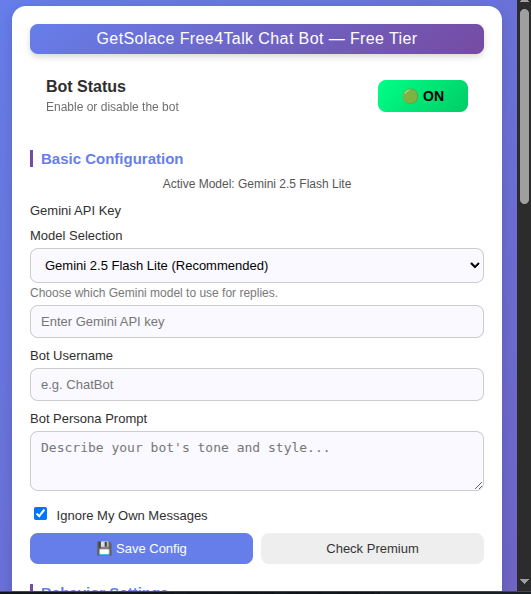
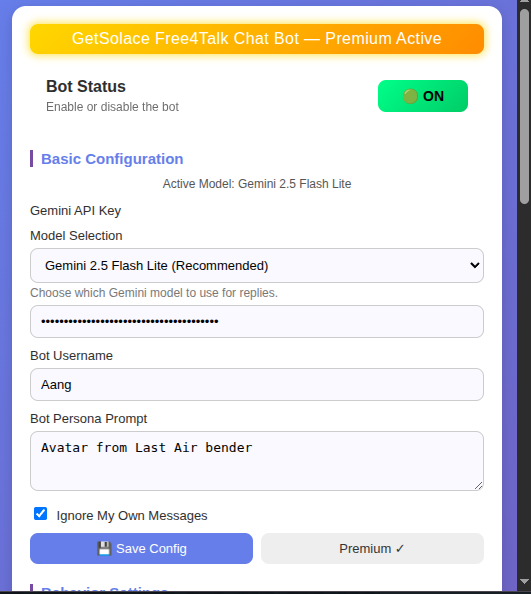
Chatbot configuration panel

Configuration panel

Popup layout for provider key setup, model choice, bot naming, persona controls, and save or load actions.

Memory
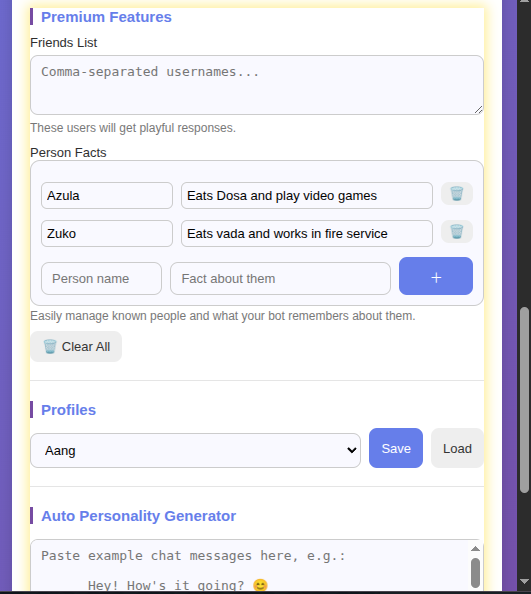
Chatbot memory system

Memory and people data

Friends and person facts can be managed from the extension so responses feel more aware over time.

Controls
Chatbot options panel

Response and behaviour settings

Reply behaviour, reaction controls, provider configuration, and other room-facing options live in one place.

Live use
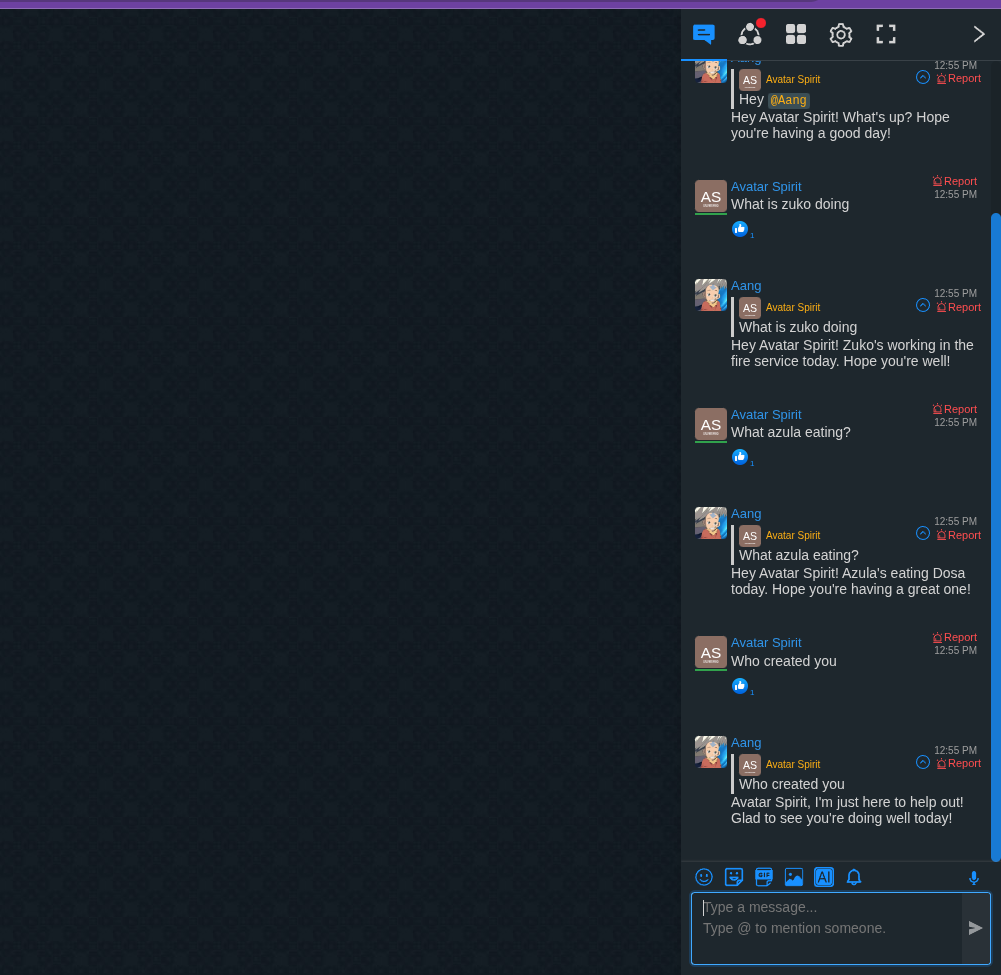
Chatbot live in Free4Talk

In-room behaviour

The extension is designed to blend into active rooms without forcing a separate application workflow.

Examples

Conversation patterns, not just feature labels.

Examples are more convincing than abstract feature claims because they show how the bot is expected to behave in ordinary room situations.

Natural greeting
User
Hey! How's everyone doing?
Chatbot
Hey there. Doing well here. What kind of room did you end up joining today?
Context awareness
Alex
Just watched Inception.
User
What did you think about that movie?
Chatbot
Inception is one of those films that stays in the room after it ends. The ending is still a great conversation trigger. What scene stood out most to you, Alex?
Friend recognition
Sarah
I'm back from vacation.
Chatbot
Welcome back, Sarah. How did the Japan trip turn out in the end?
Person Facts memory
Mike
Finally got that job at Google.
Chatbot
Congratulations, Mike. You were putting serious effort into those software interview rounds, so it is good to see that work convert into something real.
Helpful response
User
Can someone recommend a good coding tutorial?
Chatbot
That depends on the language. For JavaScript, The Odin Project and FreeCodeCamp are both strong starting points. For Python, Automate the Boring Stuff is still a very practical first pick.
Room-friendly reply
User
I am not sure whether to study tonight or just sleep early.
Chatbot
If you are already drained, sleep wins. If you still have a little focus left, do one small task and stop there.

Personas

Tone presets for different kinds of rooms.

These should read like usable conversation styles, not novelty characters. The design is intentionally plain so the content feels credible.

Friendly Helper

Warm, helpful, positive, and easy to talk to.

Best forGeneral conversation rooms and welcoming newcomers.

Witty Companion

Playful, concise, humorous, but still useful.

Best forCasual rooms and lighter social conversations.

Language Coach

Patient, clear, and gently corrective for learners.

Best forEnglish practice rooms and language exchange.

Deep Thinker

Reflective, curious, and comfortable with abstract discussion.

Best forDebate rooms and longer idea-driven conversations.

Chill Listener

Calm, empathetic, and intentionally low-pressure.

Best forQuiet rooms and support-focused spaces.

Custom Persona

Write your own behaviour model and tone from scratch.

Best forPremium users who want full control.

Release notes

Version history with actual product changes.

v1.4CurrentDecember 8, 2025
  • Groq API integration for faster responses
  • Expanded model support across Gemini and Llama families
  • Tab-based popup redesign
  • Smarter model validation and setup flow
  • Improved loading and error states
  • Current-model visibility improvements
v1.0.1Bug fixNovember 27, 2025
  • Fixed reply-length issues
  • Improved context analysis for missed responses
  • Fixed old-message reply problems when chat was scrolled up
v1.0.0InitialFirst release
  • Person Facts memory system
  • Friends list support
  • Context-aware responses with history
  • Gemini API support
  • Auto-reaction capability

Questions

Installation and licensing, answered simply.

Yes. The base extension is free to use with your own provider key setup.
Groq support gives users another provider option and is primarily useful for faster response handling depending on the selected model.
It is a Premium feature for saving facts about specific people so the bot can reference them more naturally later.
This version presents 10 supported model choices across Gemini and Groq-backed options.
No. It needs internet access because the model providers are remote APIs.
The free workflow is flexible. Premium licensing rules depend on how your license is issued.
Premium access is unlocked through a license key entered inside the extension popup.

Download the chatbot and set it up in minutes.

The page should end with a clear next step: get the extension or open the install guide.